
UARTist
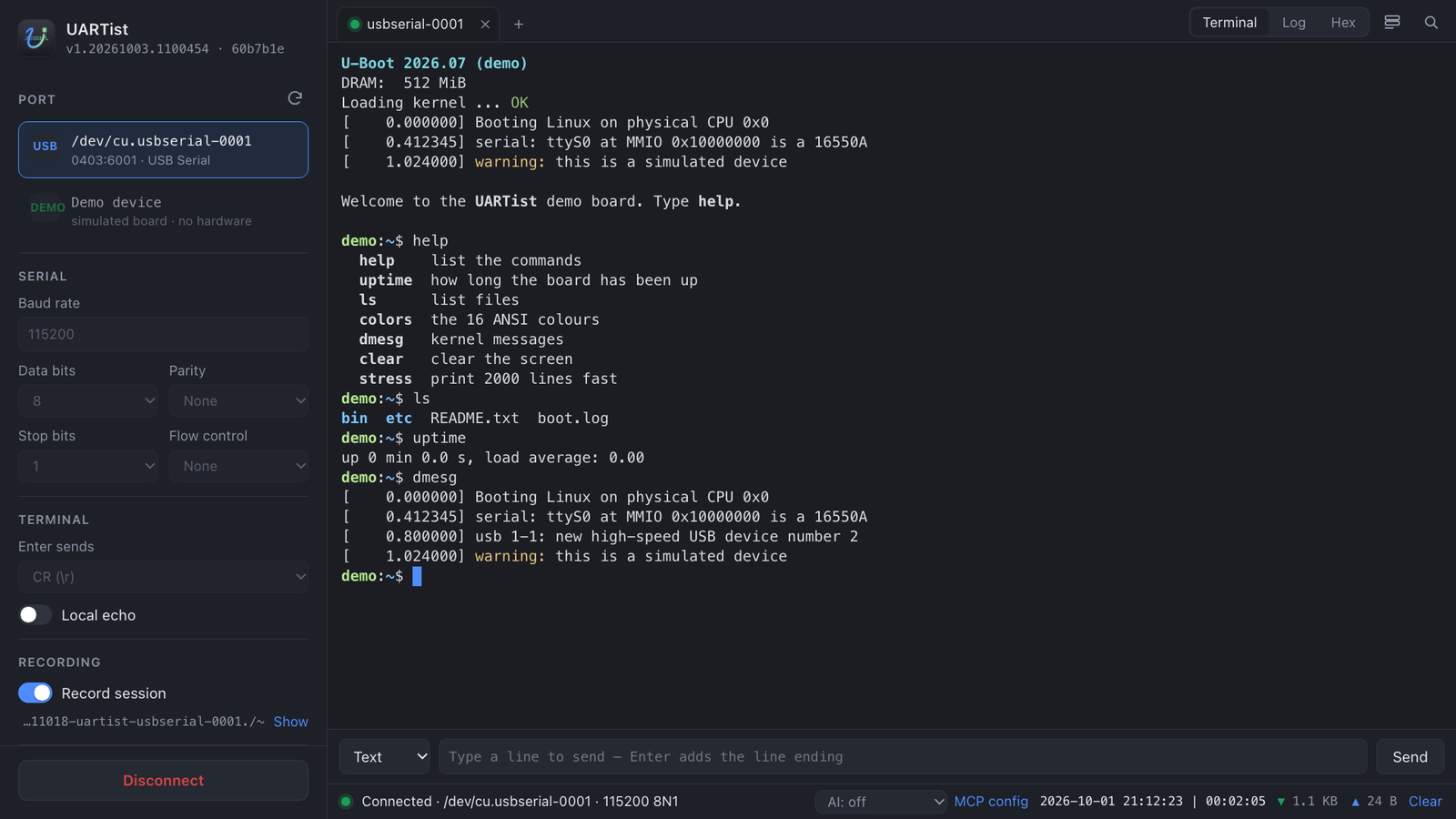
A serial console for hardware bring-up. Open several ports in tabs, keep every line with its time, and see the bytes when the device answers in binary.
macOS 11 or later on Apple silicon · Windows 10 and 11 · free
What it does
Tabs
One per port, all connected at once. When the adapter is unplugged, the session waits and reconnects by itself.
Timed log
Every line with its local time and the time since the session started, numbered.
Hex view
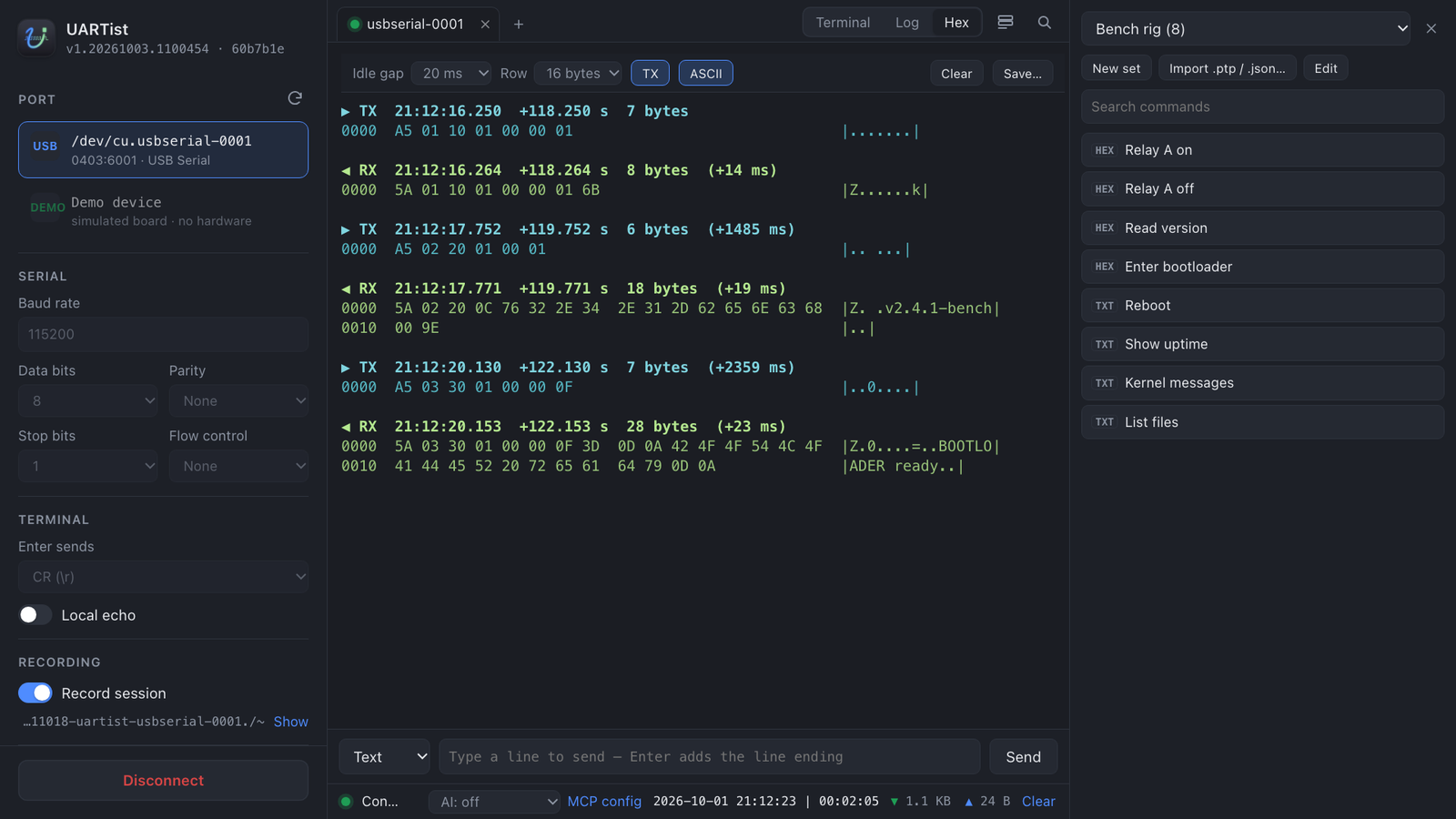
Every byte sent and received, grouped into frames, with the milliseconds between a command and its reply.
Filter tabs
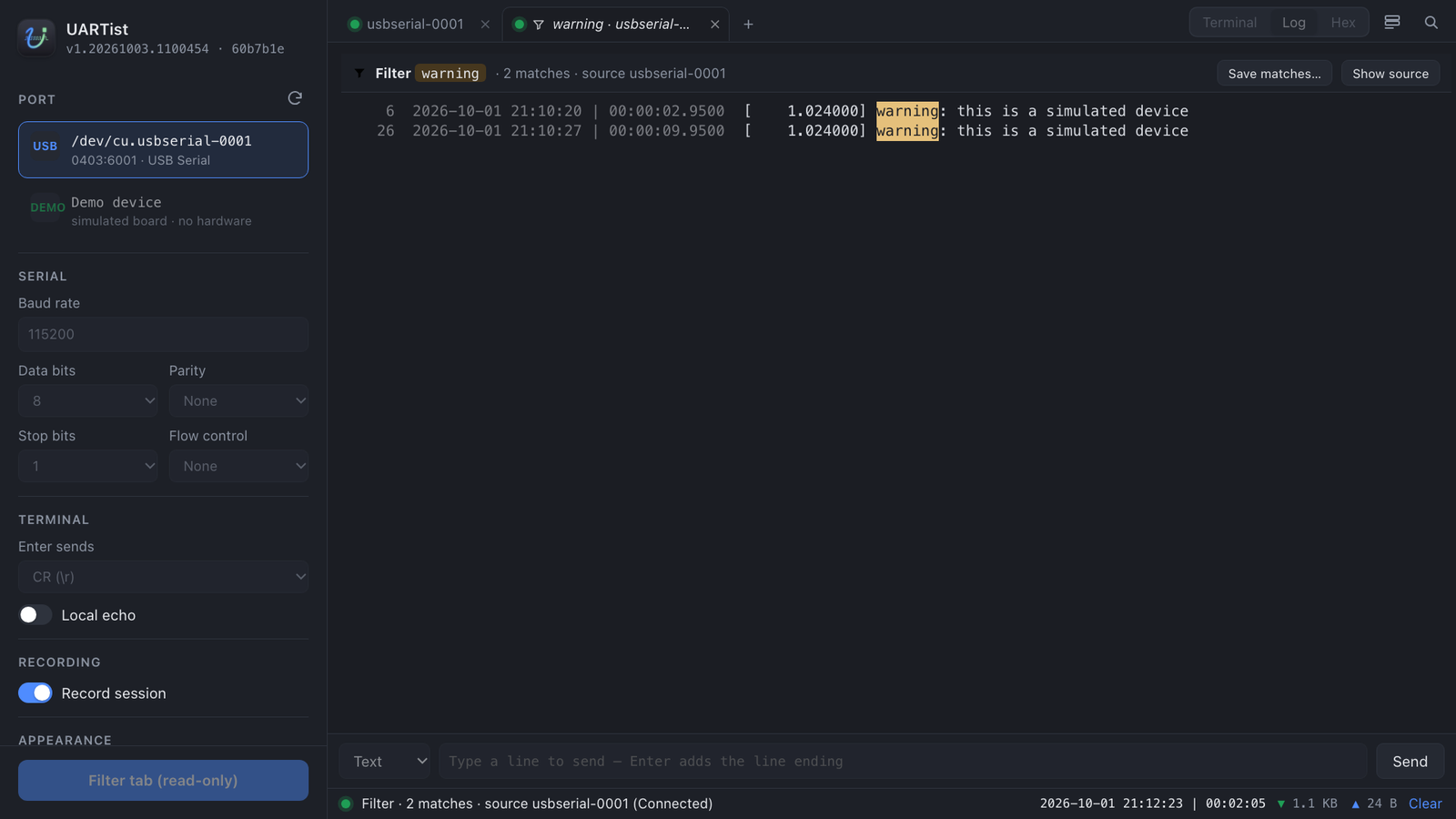
tail -f | grep on a port: the matching lines as they arrive, and saved to a file when you want them.
Saved commands
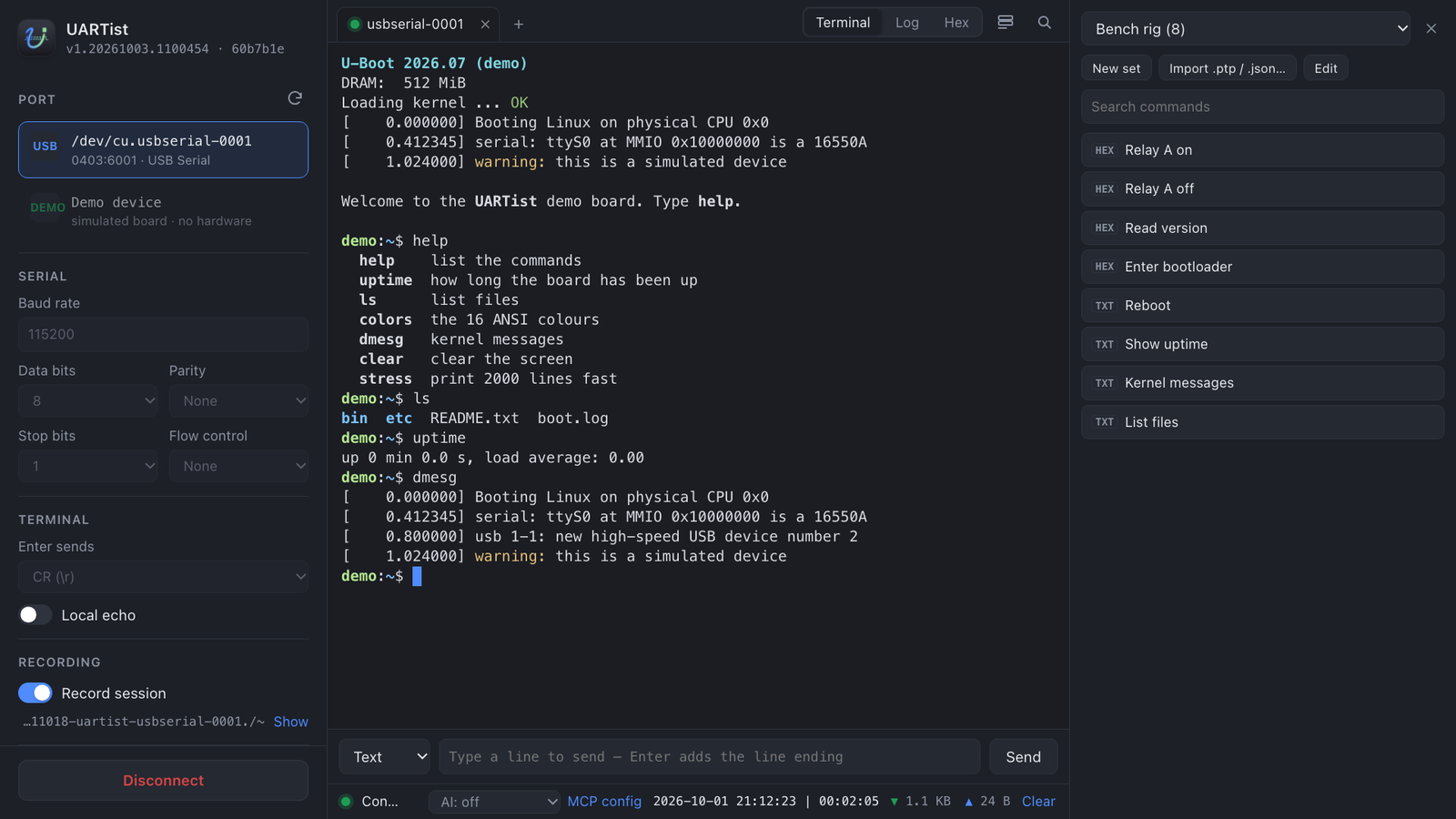
Text and hex commands as buttons, in sets per board or project, exported and imported as files.
Recording
Each session kept on your computer as raw bytes and timed lines; old ones are cleaned up for you.
Share a port with an AI tool
Turn on AI for a tab, read only or read & send, and an AI tool on the same computer (Claude Desktop, Claude Code, or another MCP client) can read what the device says while you keep working at it. It is told when the device drops, and can wait for it to come back. Sharing listens on this computer only, is off by default, and what the AI sends is marked in the log.
Install
macOS (Apple silicon)
With Homebrew:
brew install --cask changyy/tap/uartistOr one line in Terminal. It checks the download's SHA-256 before it installs anything, asks for no password, and prints every step (read it first):
curl -fsSL https://uartist.app/install.sh | shOr download the disk image and drag UARTist into Applications. UARTist is not notarized yet, so macOS refuses it the first time: choose System Settings → Privacy & Security → Open Anyway.
Windows 10 and 11
From the Microsoft Store, which keeps it up to date, or with winget:
winget install --id 9MTZSLT89V5X --source msstoreOr, where the Store is not available, the portable app:
unzip it anywhere and run UARTist\UARTist.exe. It is not signed, so the
first time Windows may say Windows protected your PC: choose
More info → Run anyway. It does not update itself.